I Built an AI That Turns GitHub Repos Into Startup Pitches
How I used Gemini, ElevenLabs, and Lingo.dev to transform code into investable stories.
Let’s be real: developers are great at writing code but usually terrible at pitching it. We spend months building a masterpiece, only to freeze when someone asks, "So, what does it actually do?"
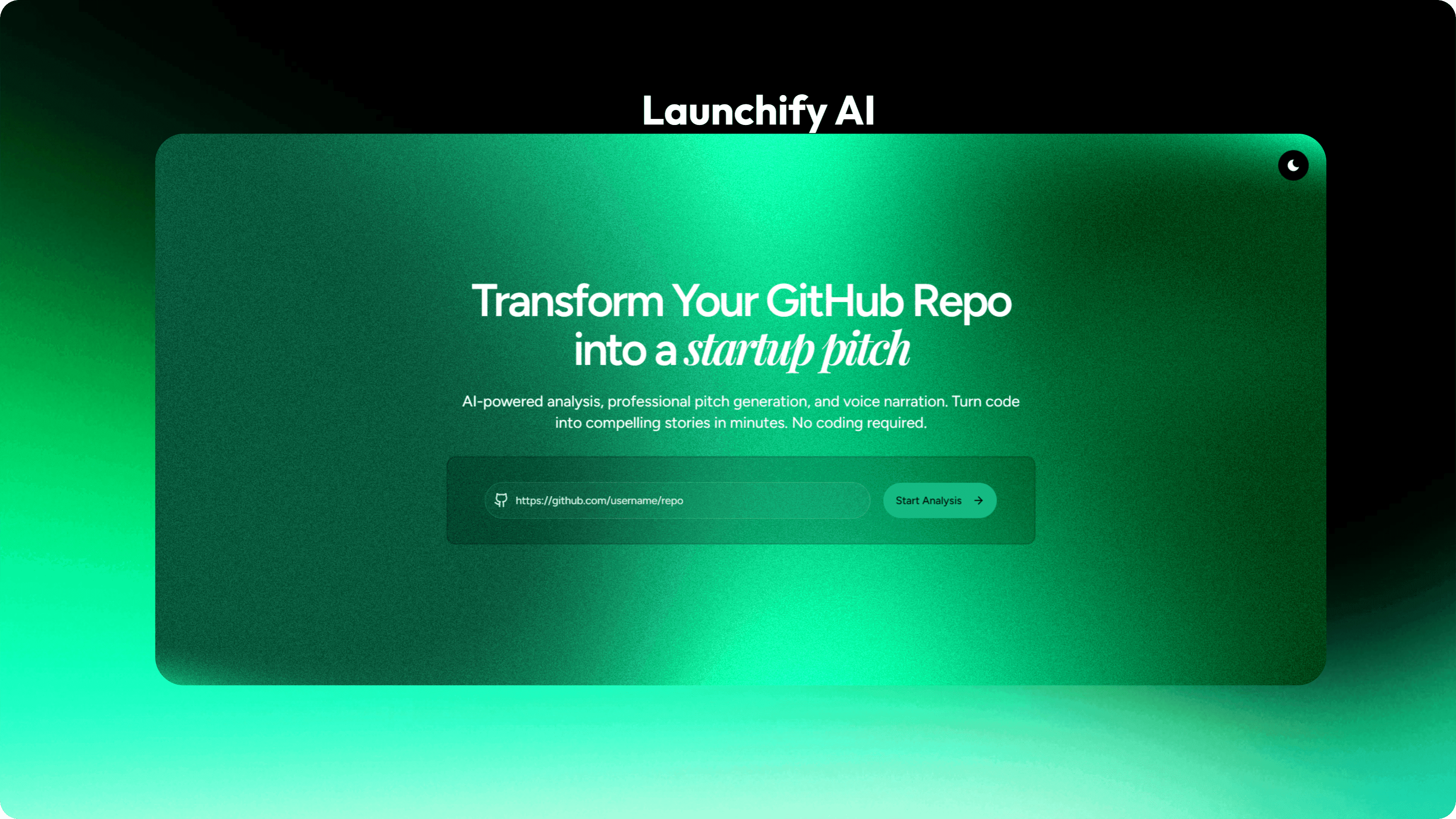
I built Launchify AI to solve this. It’s a tool that analyzes your GitHub repository and generates a professional startup pitch—complete with a script, voice narration, and multi-language support—in seconds.
## Why This Matters Now
We are living in the age of the "Shipping Renaissance." AI has made it possible to build complex apps in days, but the noise is deafening.
-
The AI Tool Explosion: With thousands of new tools launching weekly, a simple "Hello World" README isn't enough to stand out anymore.
-
Open-Source Visibility: Incredible projects often die in obscurity because the creators can't articulate the value proposition to non-technical users or investors.
-
The Marketing Gap: Indie hackers are shipping faster than ever, but marketing remains the #1 bottleneck. Most of us would rather refactor a component for the 10th time than write a marketing tweet.
Launchify AI acts as your outsourced marketing department, ensuring your hard work gets the "investable story" it deserves.
## The Solution: Launchify AI
Launchify AI uses a powerful AI stack to handle the heavy lifting. You paste a URL, and it generates a 30-90 second pitch covering the Problem, Solution, Market, and Business Model.
### The Tech Stack
-
Framework: Next.js 16 (App Router & Turbopack)
-
AI Engine: Google Gemini 1.5 Flash (for deep code analysis)
-
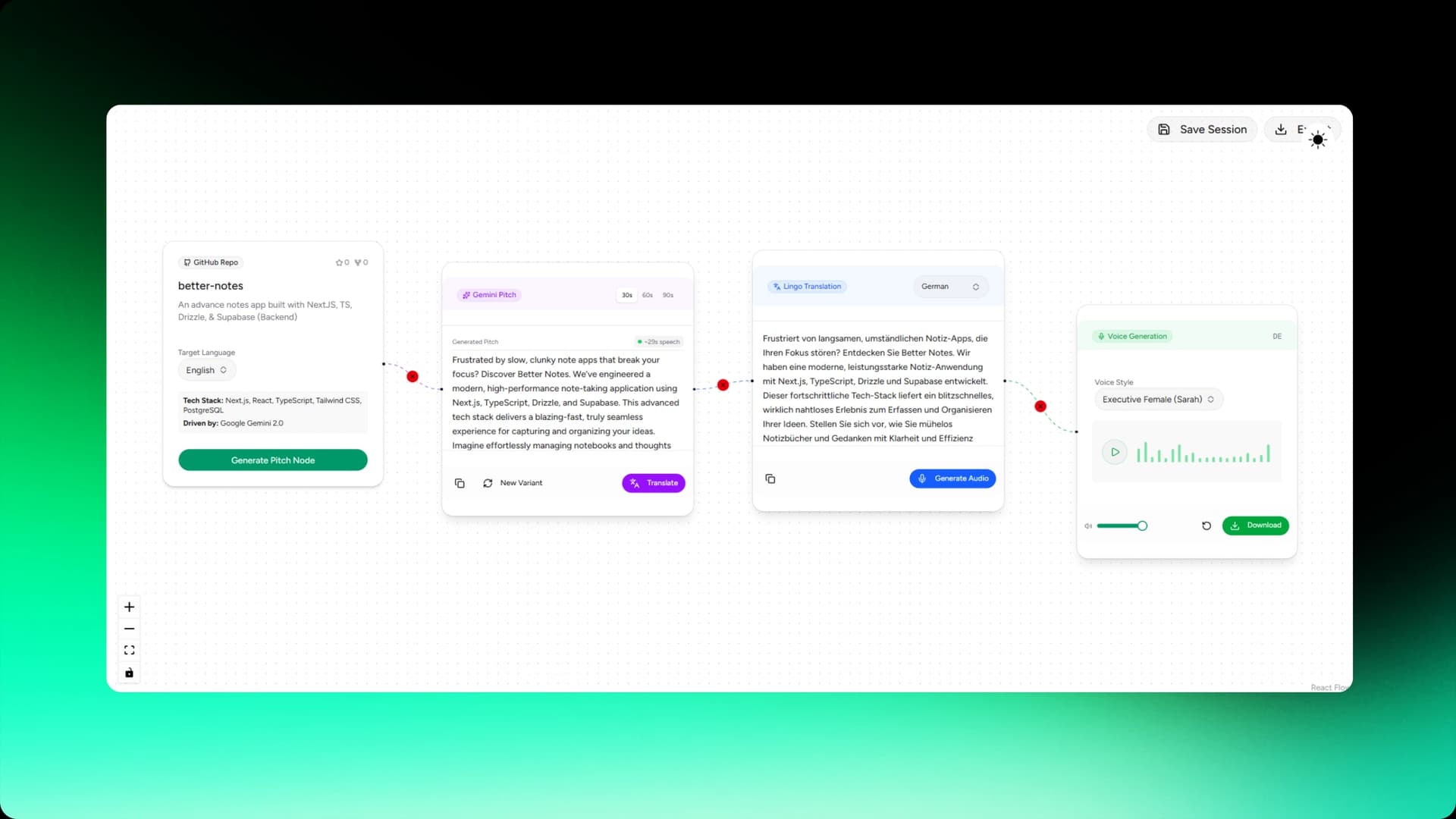
Visualization: ReactFlow (to visualize the pitch generation process)
-
Voice: ElevenLabs (for professional text-to-speech)
-
Localization: Lingo.dev (for multi-language support)
## Visualizing the Flow
To make the process transparent and engaging, I built an interactive node-based canvas. This isn't just a loader; it's a visual journey of your code being transformed into a story.
## The Build Journey: Challenges & Trade-offs
Building this wasn't as polished as the final UI suggests. I hit several "builder moments" that nearly sent me back to the drawing board.
-
The Context Window Nightmare: Initially, trying to feed an entire repository into Gemini was hitting token limits or causing "hallucinations". I had to refine the analysis logic to prioritize
package.json, core components, and main logic files rather than the entire directory. -
Localization Edge Cases: Translating "React Hooks" or "Edge Functions" into Hindi or Japanese can get weird. Lingo.dev helped immensely here, but I had to implement a specific check to ensure technical terms remained in English when appropriate to keep the pitch sounding professional.
-
Visualizing the Invisible: I struggled with how to show the user that the AI was actually working. Switching to a node-based workflow with ReactFlow was a trade-off—it took longer to code, but it transformed the "boring loader" into an interactive experience.
## Going Global with Lingo.dev
One of the coolest features of Launchify AI is the "Global Launch" mode. A project shouldn't be limited by language barriers. If you have a cool tool, someone in Japan or Germany should be able to hear your pitch in their native tongue.
I used Lingo.dev to handle the translation, and it was the easiest part of the entire build. Instead of managing massive JSON files or complex i18n logic, I just used their SDK to localize the pitch text on the fly.
### How I Implemented It
import { LingoDotDevEngine } from '@lingo.dev/_sdk';

const lingoDotDev = new LingoDotDevEngine({
  apiKey: process.env.LINGODOTDEV_API_KEY || '',
});

export async function translatePitch(text: string, targetLang: string) {
  if (targetLang === 'en') return text;

  try {
    // One simple call to localize the entire pitch
    const translatedText = await lingoDotDev.localizeText(text, {
      sourceLocale: 'en',
      targetLocale: targetLang,
    });
    return translatedText;
  } catch (error) {
    console.error('Translation failed:', error);
    throw error;
  }
}
The localizeText method is a game-changer. It maintains the context of the startup pitch, ensuring the "tech vibe" isn't lost in translation.
## Future Roadmap & Reflection
Building Launchify AI taught me that the bridge between "Code" and "Value" is much narrower than we think—it just needs the right translator.
What I learned:
-
Systems beat motivation every time.
-
Building the "real thing" as early as possible reduces the burden on your imagination.
What's next?
-
Interactive Pitch Decks: Beyond just audio and text, I want to generate a full slide deck based on the repo analysis.
-
Improved Contextual Mapping: Fine-tuning the Gemini prompts to better understand complex backend architectures.
I started this project because I was tired of seeing great code go unnoticed. My vision is for Launchify to become the standard first step for any developer looking to turn their "side project" into a real business.
Check out the project:
- Live Demo: launchify-ai.vercel.app
- GitHub: heykaran77/launchify-ai